Christmas

The Christmas shopping list, food and gifts together

The Christmas dinner shop, the presents and the jobs before the big day, on lists everyone helping can see. Who is buying what is clear, so nothing is bought twice and nothing is forgotten.

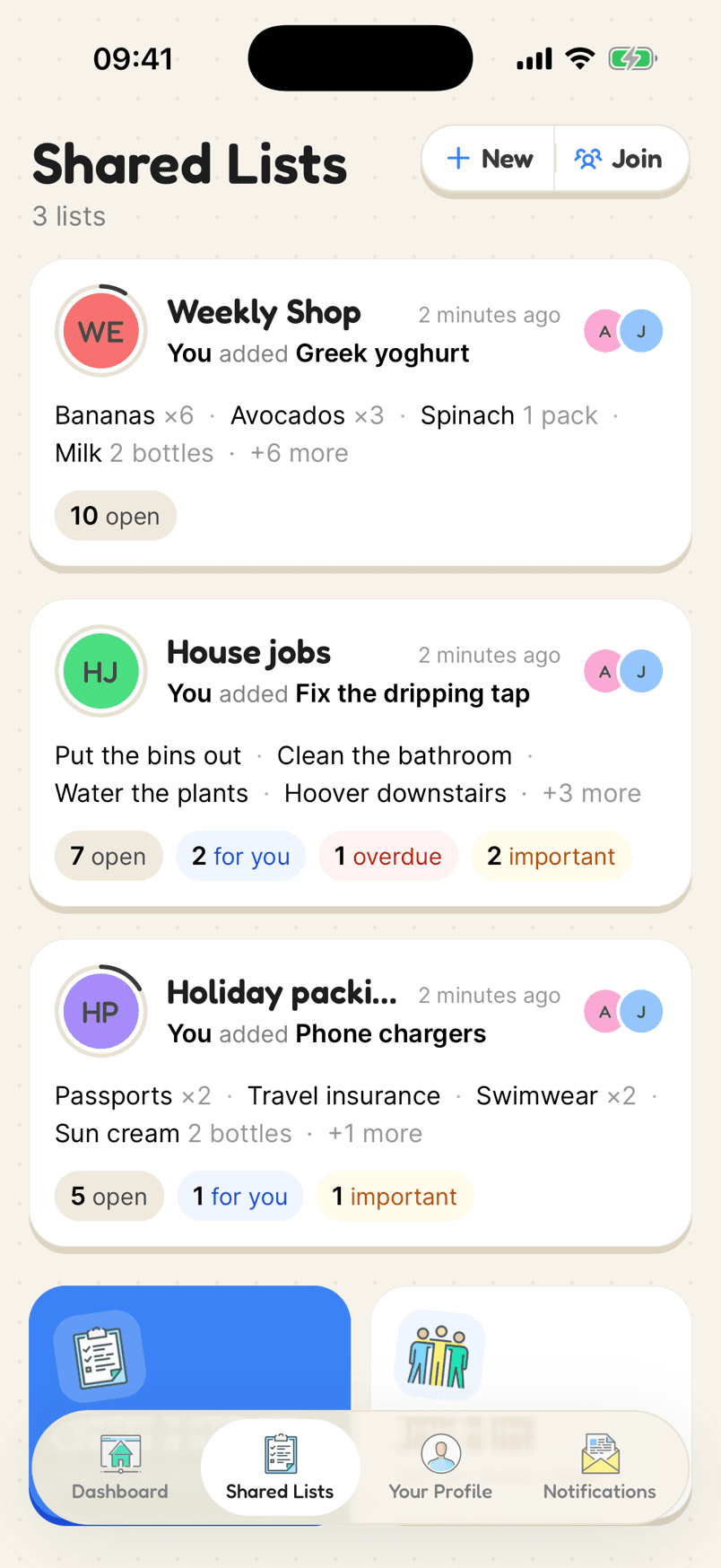
Several shared lists, each with counts of open items
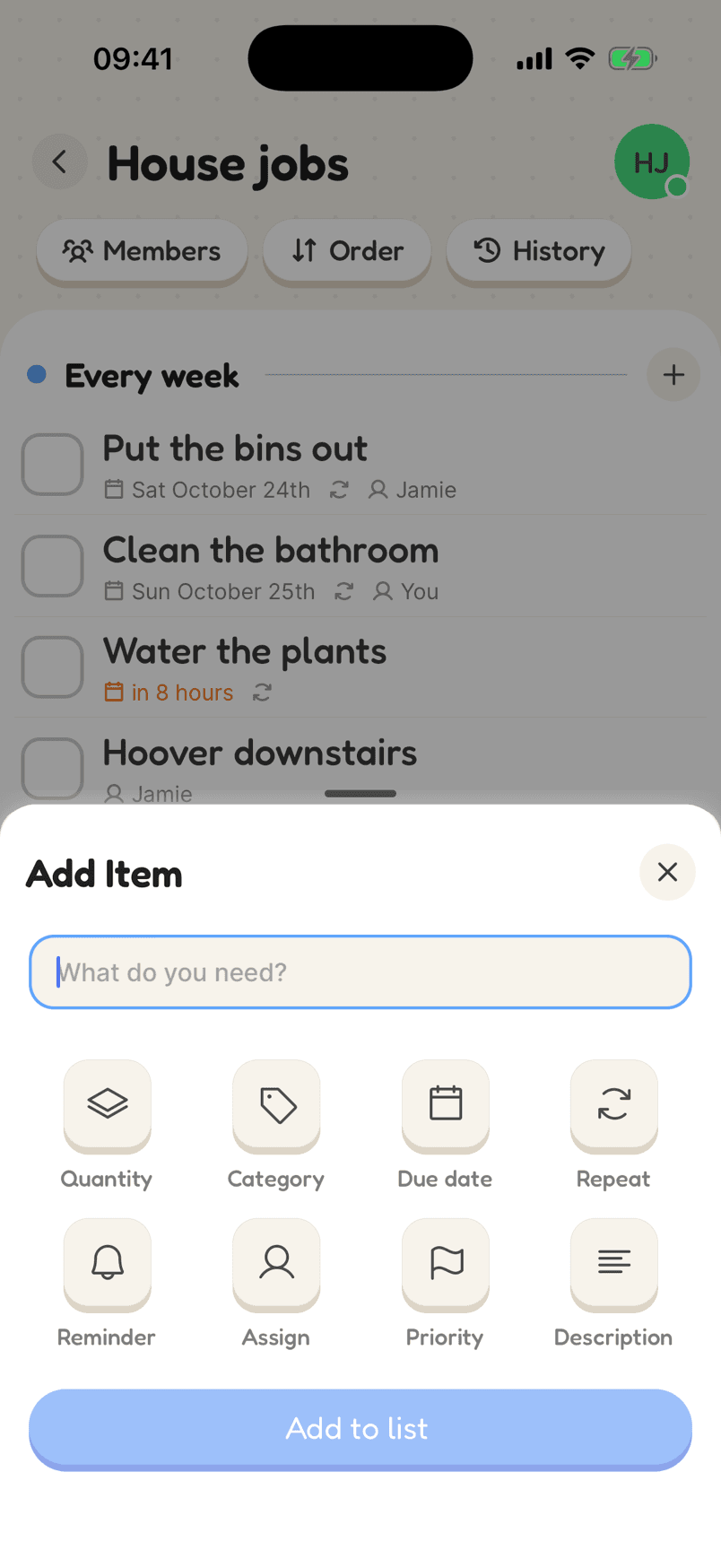
Adding an item with a due date, an assignee and a reminder

How a Christmas list looks

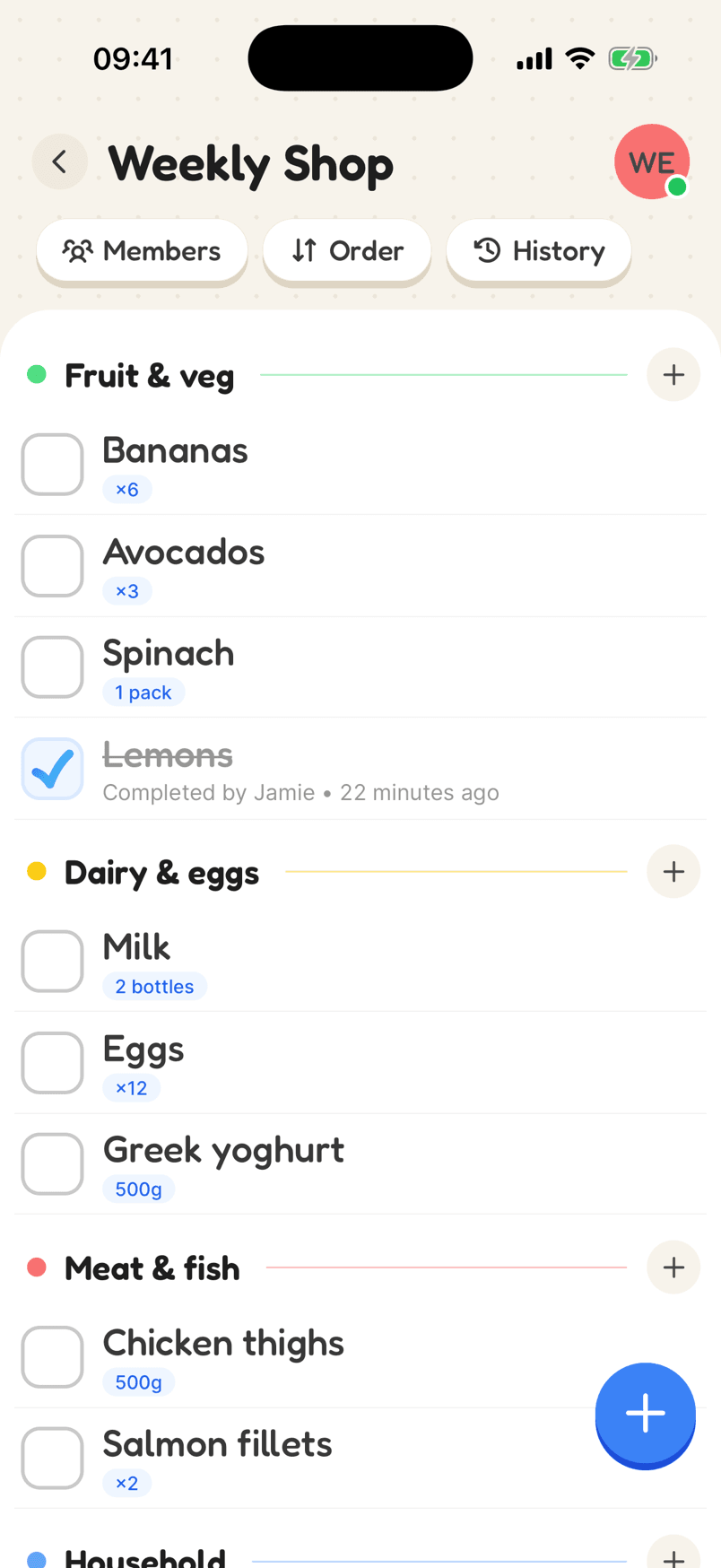
The food shop by course, so it is easy to split, and the presents on their own list for the people buying them.

  1. 1Make the food shop listAdd a category for each course, and the items with how much you need.
  2. 2Make a present listAdd a category for each person you are buying for, and share it with the buyers only.
  3. 3Put names and dates onGive each item to someone, and a date to anything with a deadline.
In the app

What makes it work

The Add Item sheet with Quantity, Category, Due date, Repeat, Reminder, Assign, Priority and Description

Add exactly what you need

Quantity and unit, category, due date, repeat, reminder, who it is for, priority and a note. Each is one tap away when you add an item, and out of the way when you don’t need it.

Why a shared list helps

The food shop, split between you

Put the dinner on a list by course, with how much of each, and give each item a name. Whoever is in the shop ticks it off and everyone else sees it is done.

Presents, without the doubling up

Assign each present to the person buying it. When it is bought it gets ticked off, so nobody buys the same thing twice.

Dates and reminders

Give the turkey collection and the last posting day a date and a reminder, and they will not slip past in the rush.

Surprises stay surprises

Lists are only shared with the people you invite. Keep the present list between the people buying, and the food shop open to everyone.

Planning the Christmas shopping together

Christmas shopping goes wrong in two ways: two people buy the same thing, or everyone assumes someone else has it covered. A shared list with a name against every item fixes both, for the food and the presents.

For the food, write the dinner out by course: the turkey or main, the trimmings (pigs in blankets, stuffing, bread sauce, cranberry sauce, gravy), the vegetables (sprouts, carrots, parsnips, red cabbage) and the potatoes for roasting. Then pudding and cream or brandy butter, drinks, cheese and crackers, and snacks for the days either side. Add how much of each, so whoever is in the shop buys the right amount.

Keep the presents on a separate list. Lists are only visible to the people on them, so invite the people buying and leave the people receiving off it. Put a category for each person and a name against each present.

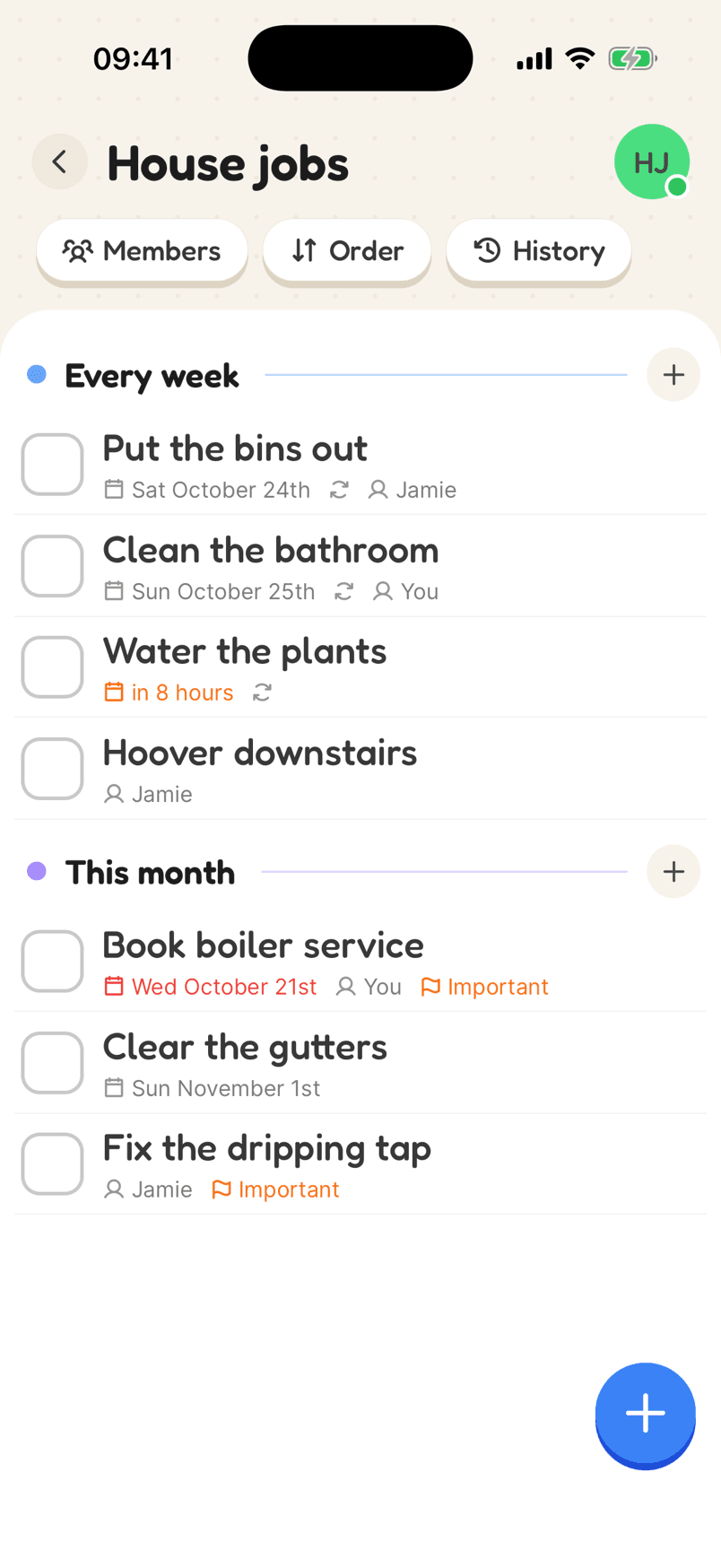
Give dates to anything with a deadline, such as collecting the turkey, the last posting day or the supermarket delivery slot, and add a reminder so it doesn’t slip past. Overdue items turn red, which is a useful nudge in mid-December.

Reviews

Loved by the people who use it

4.8from 94 ratings on the App Store
“It takes the stress out of shopping and my family love it too! The categories are really useful for navigating the supermarket … This has also been really great for the family chores... especially because you can assign tasks to individuals on your list (no excuses!).”
App Store review, December 2020

Questions

What should be on a Christmas food shopping list?

Start with the dinner by course: the meat or main, the trimmings (pigs in blankets, stuffing, sauces), the vegetables and potatoes, then pudding, drinks, and snacks for the days around it. Add how much of each and who is getting it.

How do I share a Christmas list with family?

Create a list, then send the invite link or show the QR code from the members screen. Everyone who joins can add and tick off items, on iPhone, Android or the web.

Can I stop someone seeing their own presents?

Yes. A list is only visible to the people on it, so keep presents on their own list and leave the recipient off it.

Can I set reminders for Christmas deadlines?

Yes. Give any item a reminder time and your phone will notify you then, such as the day to collect the turkey or the last posting day.

Start your Christmas list

Free on iPhone and Android, and in your browser. Everyone you share with is one invite away.