Household app

One app for running the house together

The shopping, the jobs and the things to sort before the weekend, each on its own shared list and live on everyone’s phone, so the house runs without one person keeping it all in their head.

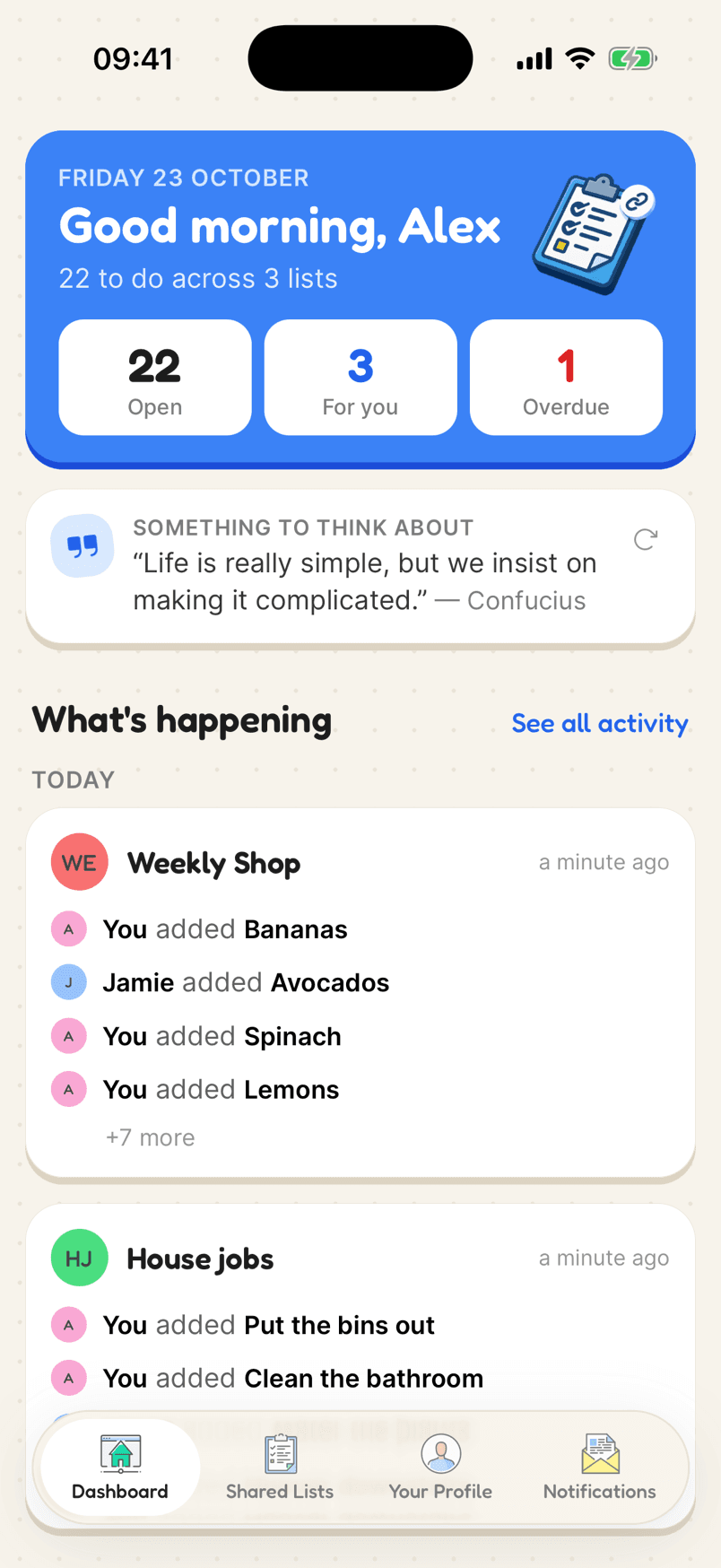
The home screen: open items, what is for you, what is overdue, and recent activity
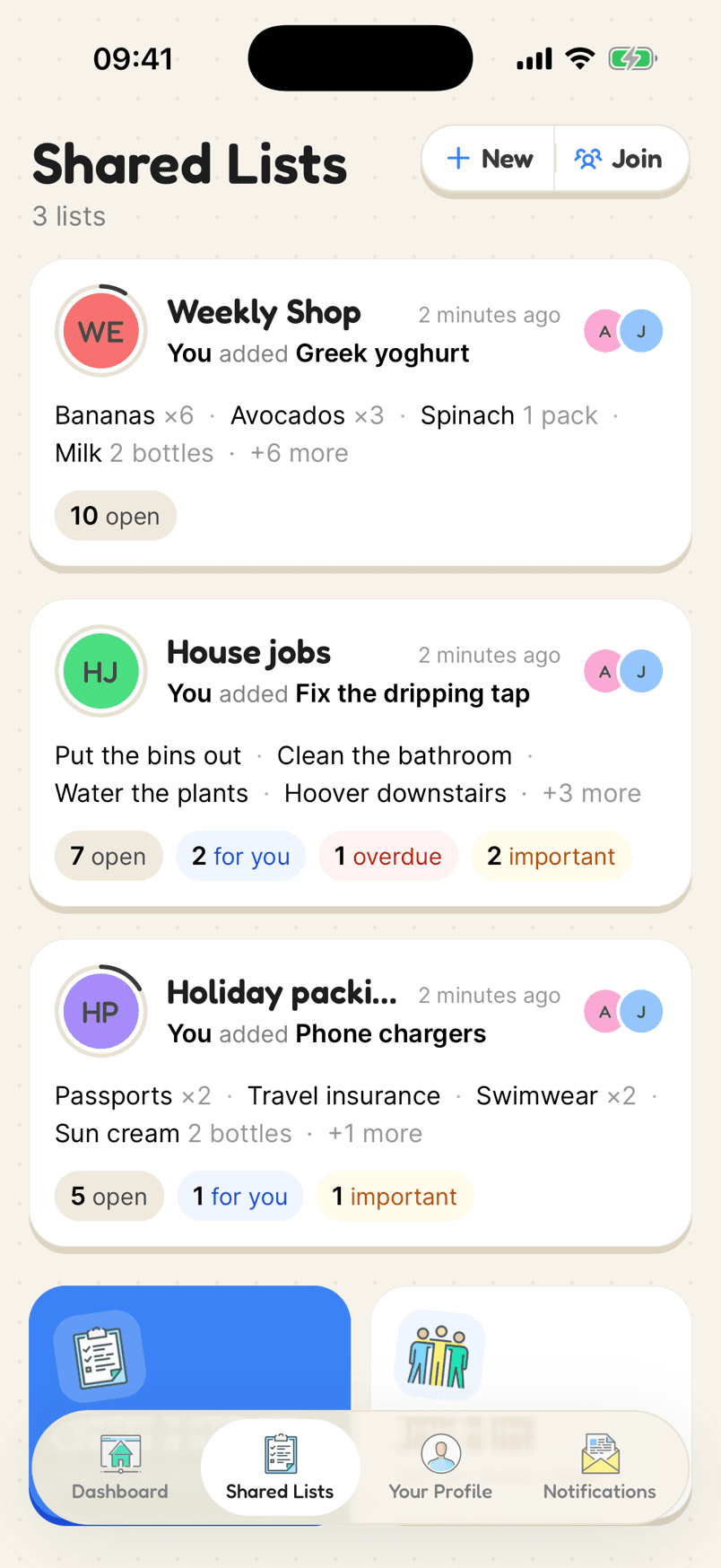
Several shared lists, each with counts of open items

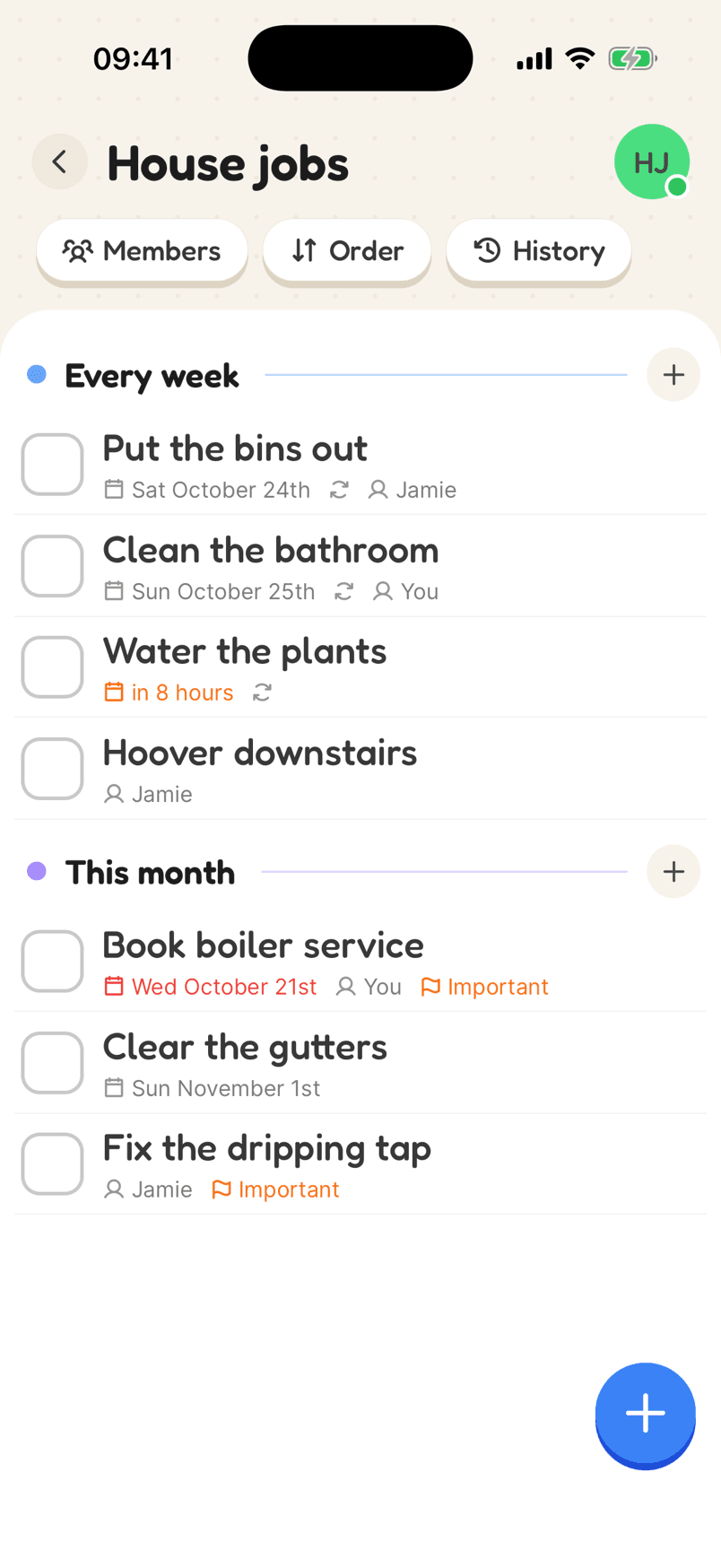
How a household list looks

Most homes start with a shopping list and a jobs list. Here is a jobs list with the admin that usually lives in one person’s head.

  1. 1Make a shopping list and a jobs listMost homes start with these two and add others as they need them.
  2. 2Invite everyone in the houseSend the invite link, or show the QR code.
  3. 3Put names and dates on the jobsGive each job to someone, with a day if it has one.
In the app

What makes it work

The dashboard with open, for you and overdue counts and today’s activity

Everything you need to do, across every list

The dashboard counts what is open, what is yours and what is overdue, and shows what changed today on each of your lists.

Why a shared list helps

A list for each part of home life

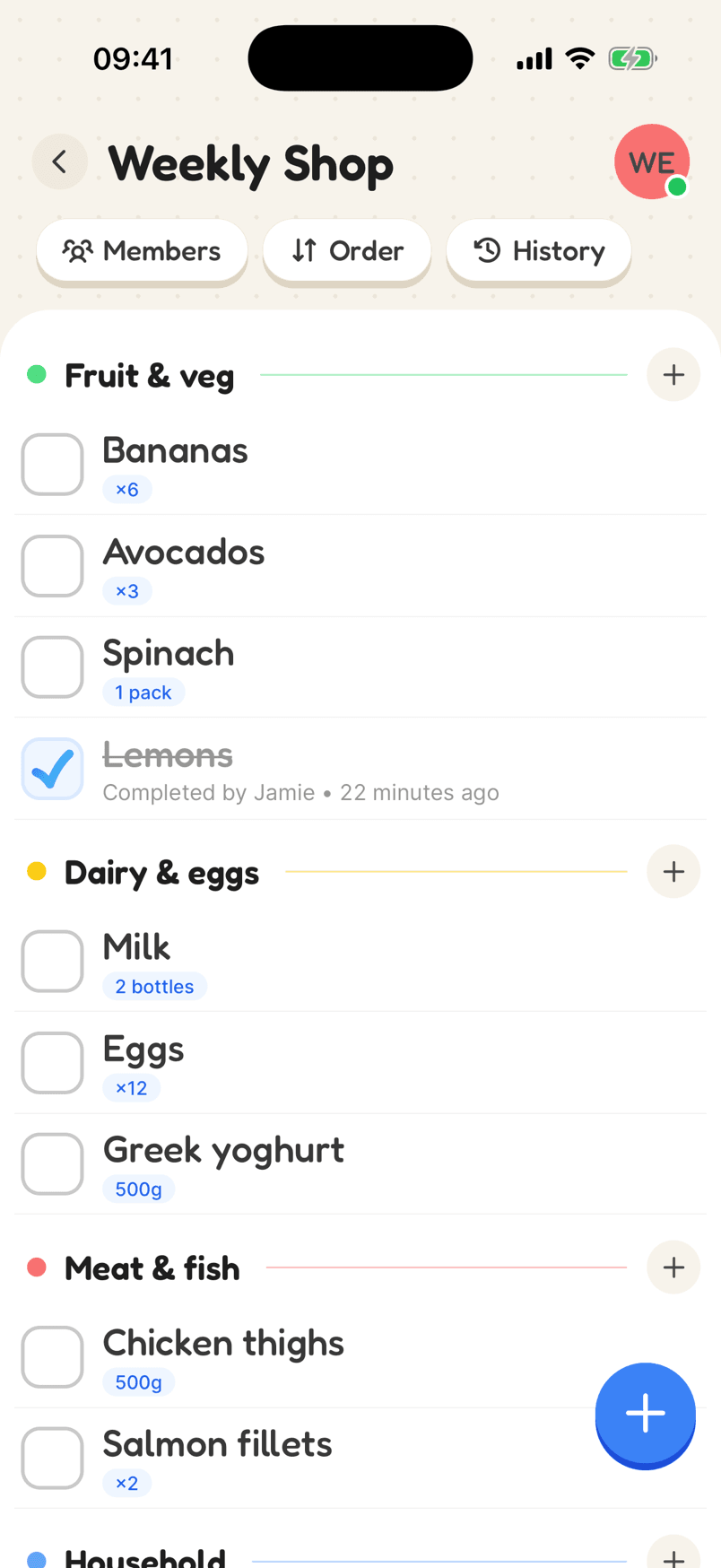
The weekly shop, the house jobs, the DIY, the holiday: each on its own list, shared with the people it involves.

Everyone sees what is theirs

The home screen shows how many things are open, what is for you, what is overdue, and what everyone has been doing.

Live, and offline too

Changes appear on everyone’s phone straight away, and you can still tick things off with no signal.

Free for the whole house

Everyone gets a free account. The free plan has three lists; Listshare Plus raises that to 50.

Running a home as a team

In most homes one person ends up keeping track of everything: what needs buying, which bills are due, when the bins go out. It works until they are busy, away or fed up. Putting it all on shared lists spreads the load.

Start small. A shopping list everyone adds to as things run out, and a jobs list with a name and a day against each job, cover most of what a home needs. Add a list for the admin (insurance renewals, appointments, the boiler service) when you are ready.

Give anything with a deadline a date and a reminder, so it doesn’t rely on anyone remembering. Overdue items turn red, and the home screen shows what is waiting for you.

Reviews

Loved by the people who use it

4.8from 94 ratings on the App Store
“It takes the stress out of shopping and my family love it too! The categories are really useful for navigating the supermarket … This has also been really great for the family chores... especially because you can assign tasks to individuals on your list (no excuses!).”
App Store review, December 2020

Questions

What can a household app do?

Listshare keeps the shared lists a home runs on: the shopping, the chores, the admin and the plans. Each item can have a quantity, a date, a reminder, a repeat, a person and a priority, and everyone sees changes live.

Can everyone in the house use it for free?

Yes. Everyone has their own free account, and the free plan gives you three lists to share with as many people as you like.

Does it work on iPhone and Android?

Yes, and in any web browser. A list stays in sync across all of them.

Can we keep the shopping and the chores separate?

Yes. Make a list for each, and share each one with the people it involves.

Set up your household

Free on iPhone and Android, and in your browser. Everyone you share with is one invite away.