Couples

Two phones, one list

Add something on your way home and it is on their list before they leave work. No more “did you get the milk?”, and no more two loaves of bread.

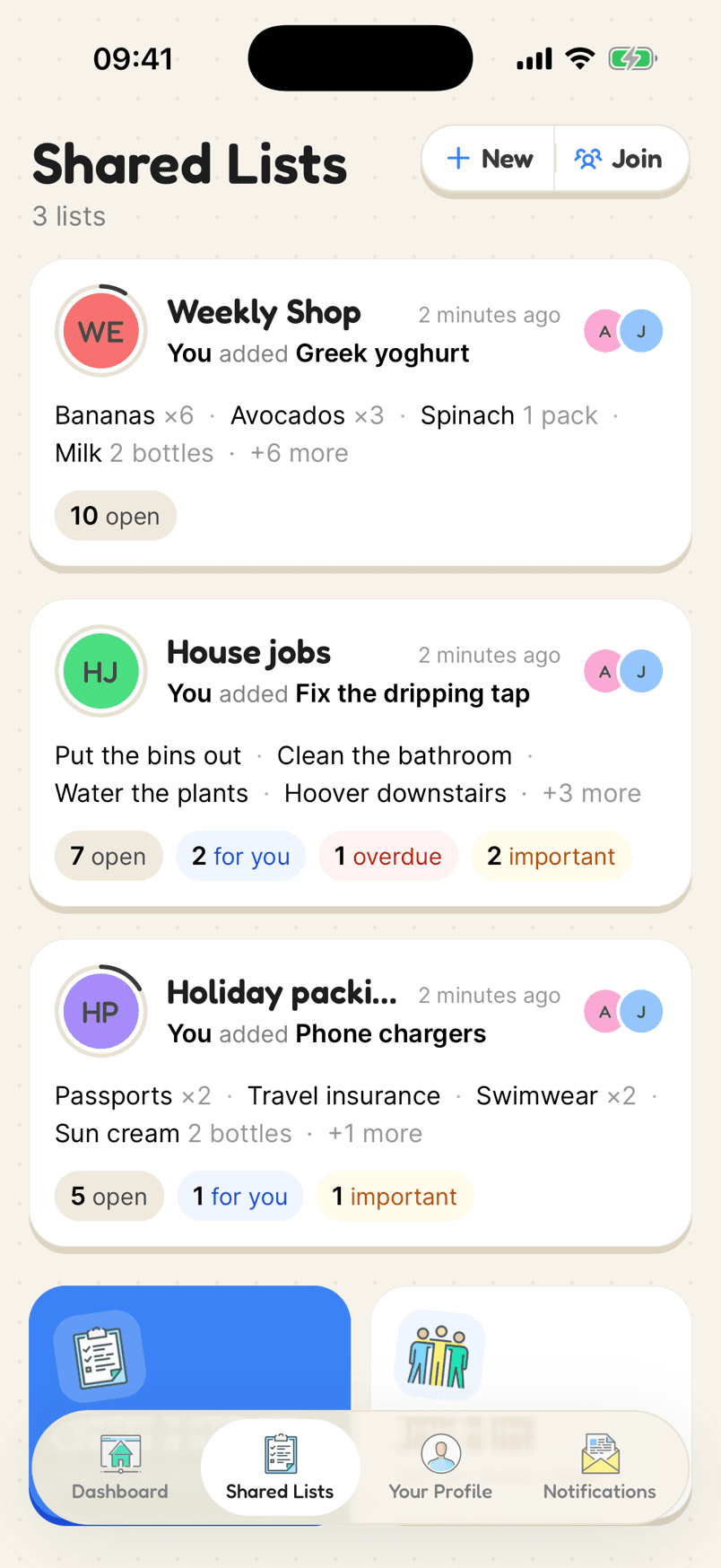
Shared lists for a couple: Weekly Shop, House jobs and Holiday packing
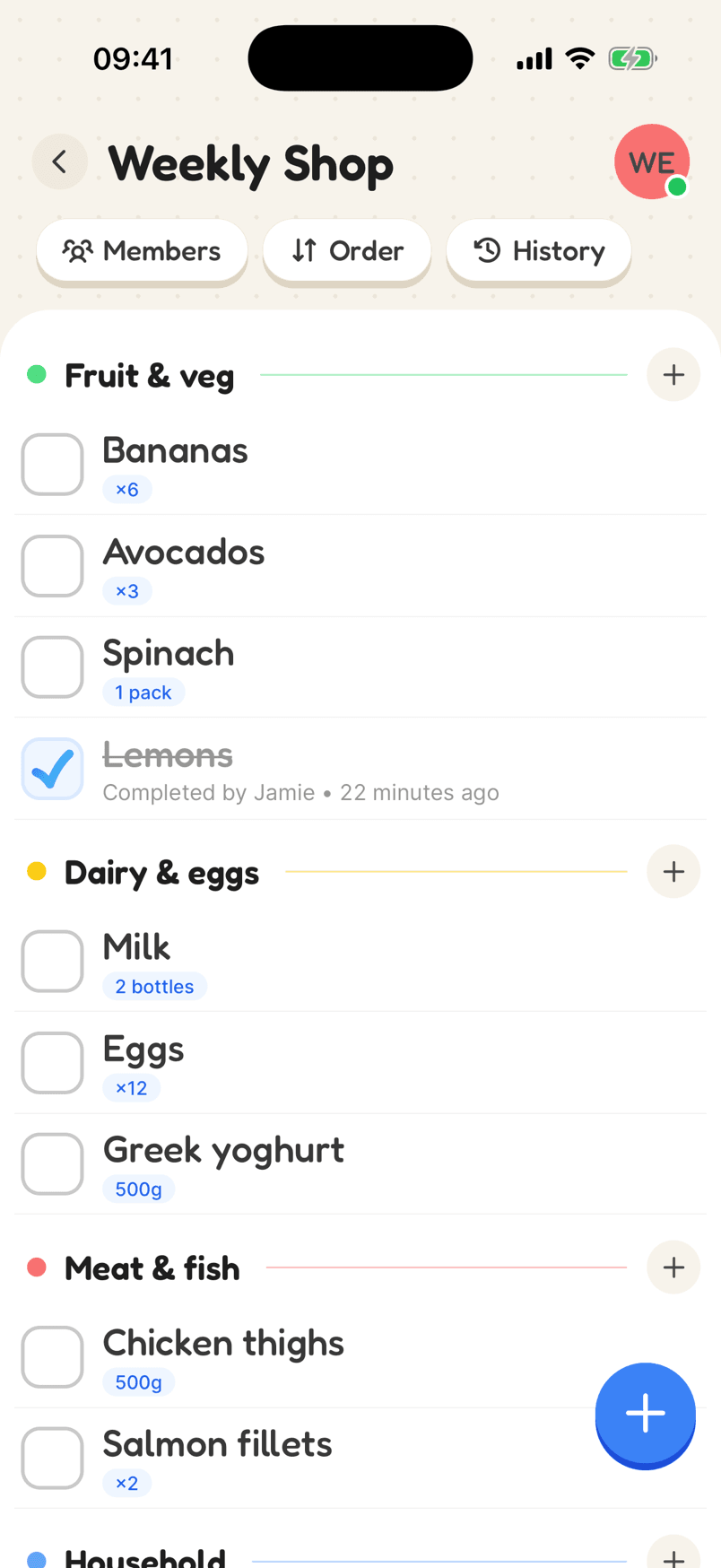
A shared Weekly Shop list sorted into categories

How a couple’s lists look

Most couples keep a few lists going: the weekly shop, jobs around the house, and whatever is coming up next.

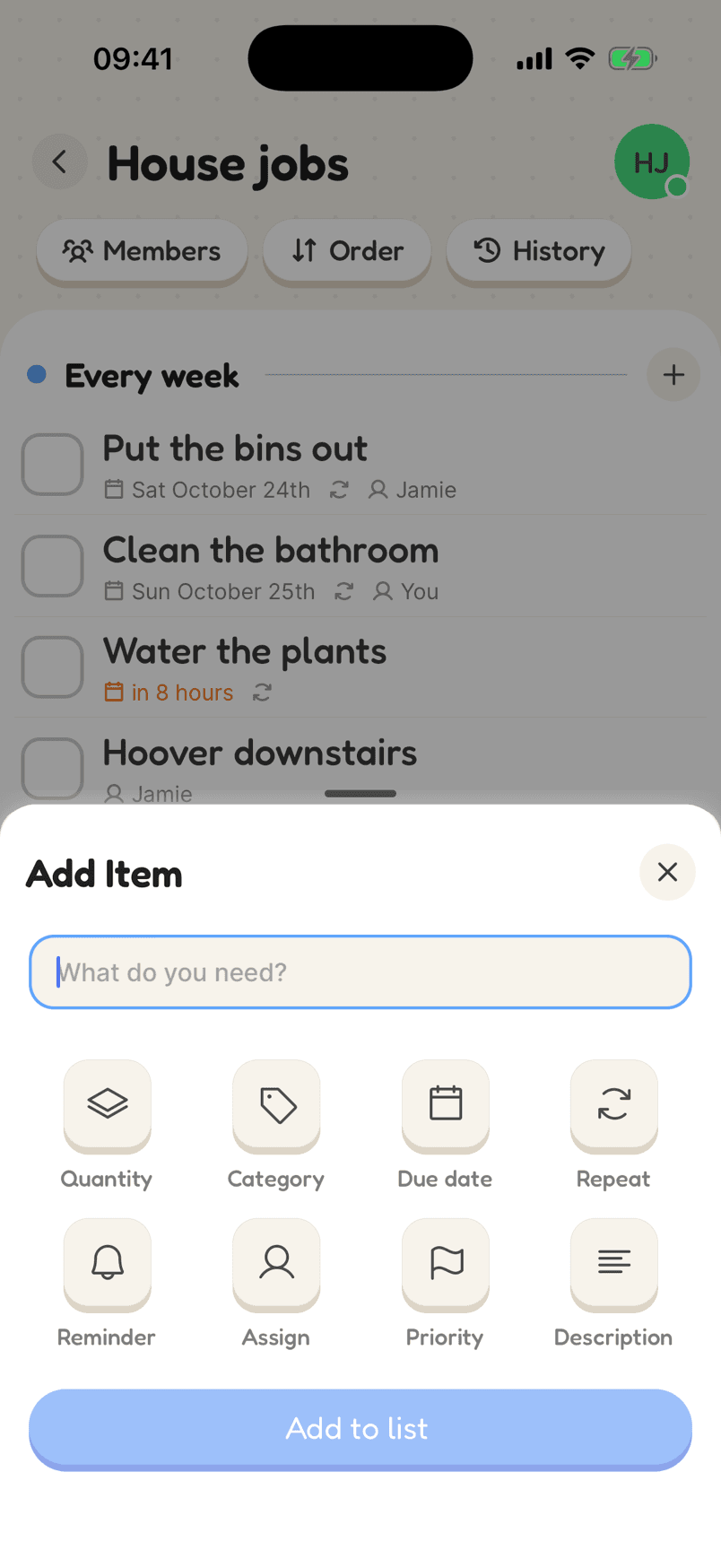
  1. 1Make your first listUsually the weekly shop. Add a few categories so it is quick to scan.
  2. 2Invite your partnerSend the link. It works whether you are both on iPhone, both on Android, or one of each.
  3. 3Add lists as you need themJobs around the house, the holiday, the wedding. Each one stays separate.
In the app

What makes it work

The Weekly Shop list grouped into categories, with quantities and an item Jamie ticked off

Everyone sees it the moment it changes

Add something at home and it is on the list in the shop before anyone reaches that aisle. Tick it off and it is done for everyone. A dot on the list shows you are connected.

Why a shared list helps

Always the same list

You both add, edit and tick off on one shared list, and it changes on both phones at once.

Split the jobs fairly

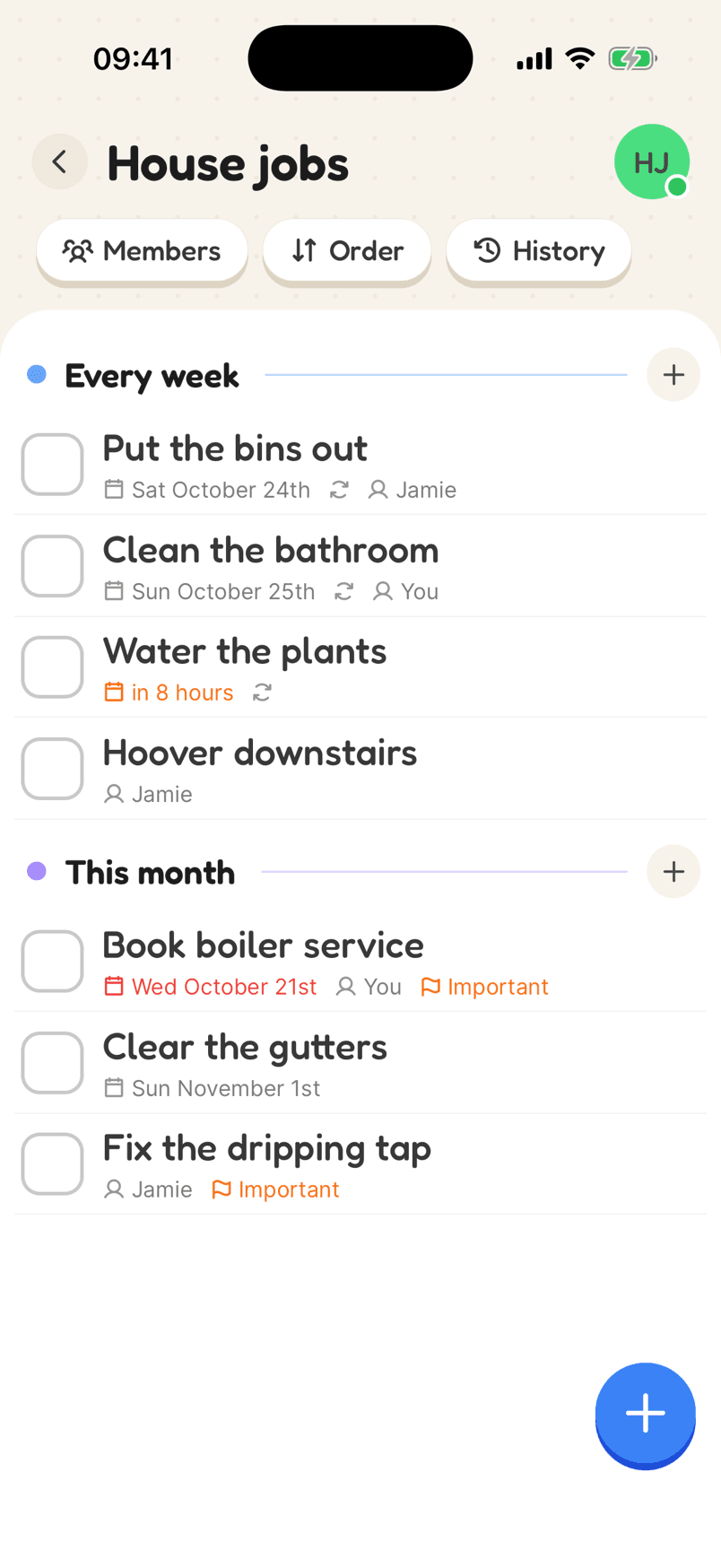
Assign a job to whoever is doing it. Each of you sees what is yours, and what is overdue.

A list for everything

The weekly shop, the house, the holiday, the wedding. Keep each one separate so none of them gets lost.

Why couples keep one shared list

Living together runs on small bits of information: we are out of milk, the boiler needs booking, the car is due its MOT. Passing those round by text means they get buried. Putting them on a shared list means both of you can see them, add to them and tick them off.

Keep a few lists rather than one long one. The weekly shop is the obvious first; a list of jobs around the house usually comes next. Give each job a name so it is clear whose it is, and a date if it has one.

Because the list updates live, the “did you get…?” call goes away. If it is ticked off, it is done. If it is still there, it still needs doing.

Reviews

Loved by the people who use it

4.8from 94 ratings on the App Store
“It takes the stress out of shopping and my family love it too! The categories are really useful for navigating the supermarket … This has also been really great for the family chores... especially because you can assign tasks to individuals on your list (no excuses!).”
App Store review, December 2020

Questions

What is the best shared list app for couples?

One you will both actually open. Listshare is free, works on iPhone, Android and the web, and updates live, so you are always looking at the same list.

Can we use it on different phones?

Yes. One of you can be on iPhone and the other on Android. The list is the same on both.

Can we keep some lists private?

Yes. A list is only shared with the people you invite, so you can keep your own lists alongside the ones you share.

Start a list together

Free on iPhone and Android, and in your browser. Everyone you share with is one invite away.