Shared to-do lists

A shared to-do list that updates for everyone

Whether it is the house, a trip or a project, everyone on the list sees the same tasks, who has them and what is due. Changes appear on every phone straight away.

A shared to-do list with tasks assigned to people, due dates and repeats
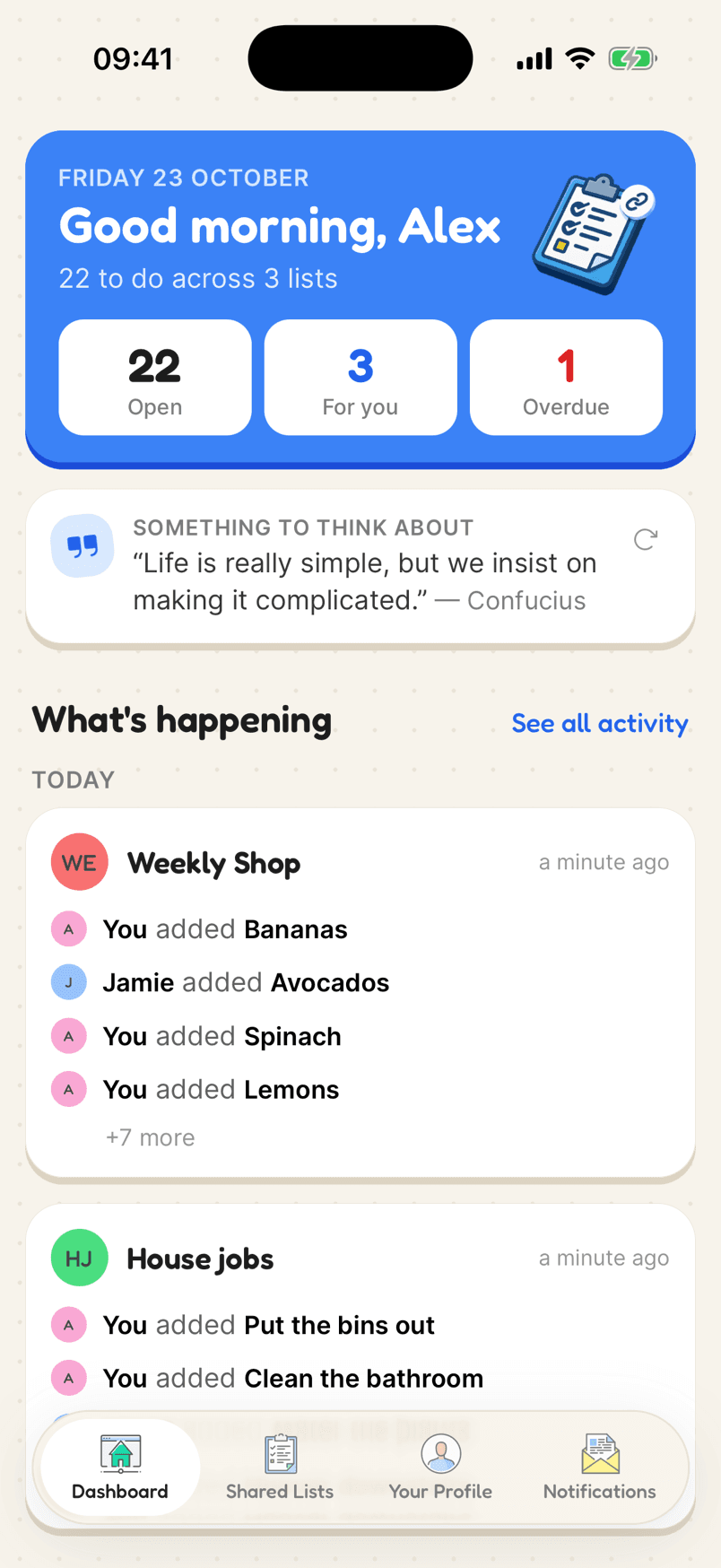
The dashboard with open, assigned and overdue counts and recent activity

How a shared to-do list looks

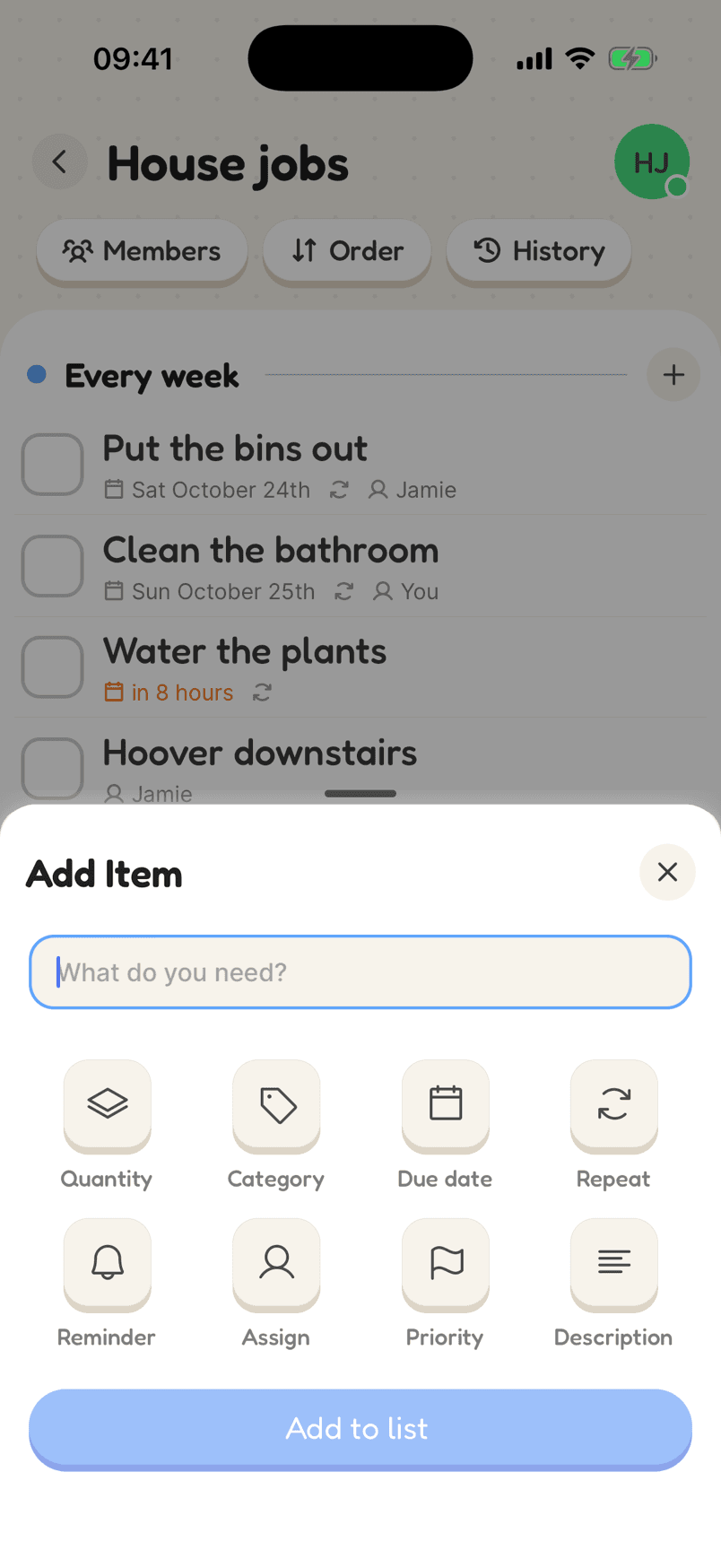
Every task can have a person, a date, a reminder, a repeat and a priority. Use as many or as few as the task needs.

  1. 1Make a list for the jobA house move, a renovation, a party: one list per project.
  2. 2Add the tasksGive each one a person, a due date, a reminder or a priority, as it needs.
  3. 3Invite everyone helpingThey see their own tasks and what is overdue across all their lists.
In the app

What makes it work

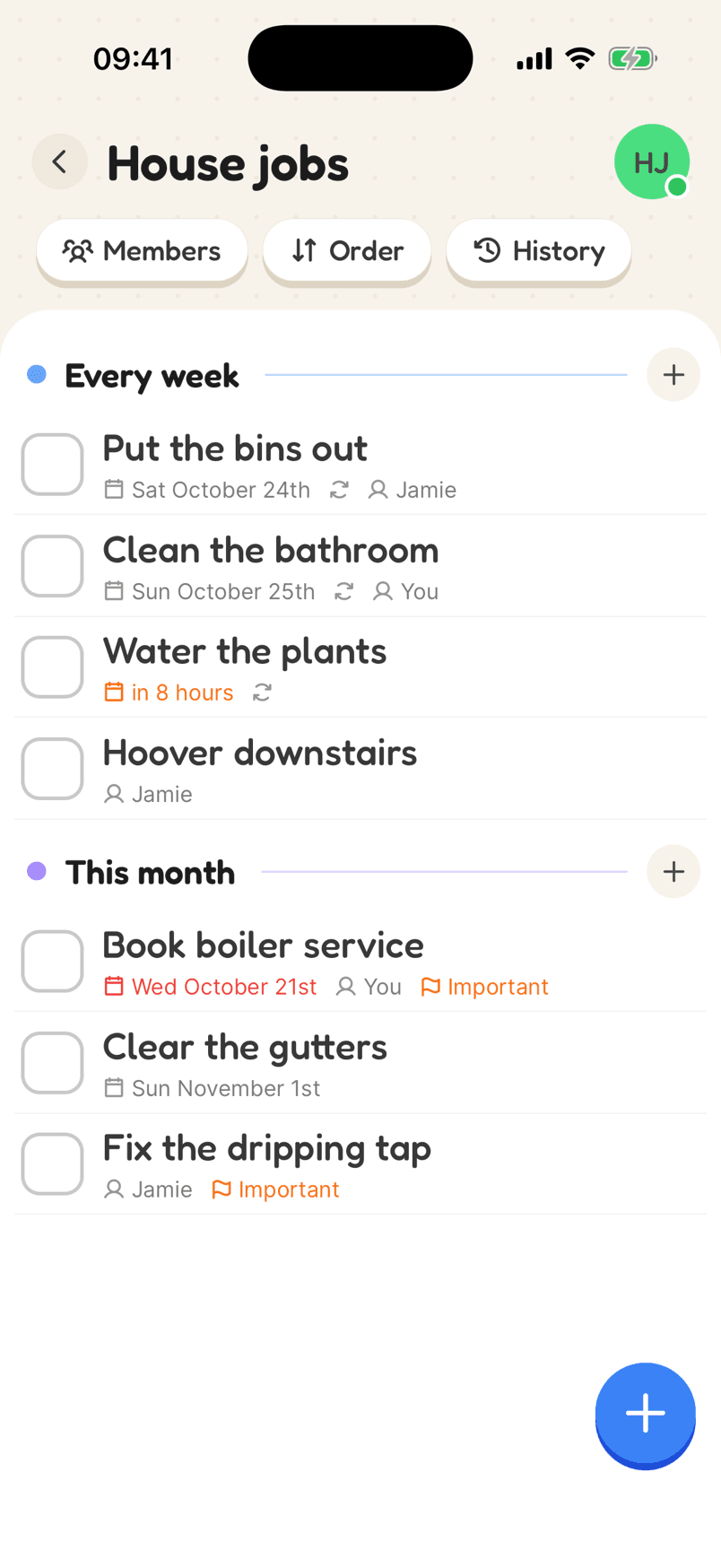
A House jobs list with weekly jobs assigned to Jamie and You, an overdue boiler service and important flags

Jobs that are someone’s, and come back on their own

Assign jobs to people, set them to repeat daily, weekly, monthly or on chosen days, or a set time after they were last done. Overdue jobs turn red and important ones are flagged.

Why a shared list helps

Everyone on the same page

Add or tick off a task and it changes for everyone on the list straight away, on iPhone, Android or the web.

Tasks with an owner

Assign tasks to people, give them due dates and priorities, and see what is overdue at a glance.

Your day at a glance

The dashboard counts what is open, what is yours and what is overdue across every list, with what changed recently.

Running a shared to-do list

A shared to-do list is a list everyone can add to and tick off, with each task clearly belonging to someone. It is the simplest way to run anything with more than one person involved, from a house move to a birthday party.

Give every task an owner. A task with nobody’s name on it tends to sit there; a task with a name and a date gets done. Use priorities sparingly so the flag still means something, and add reminders to the tasks that have a hard deadline.

Keep a separate list per project. When it is finished, everyone can see it is finished, and your other lists stay uncluttered.

Reviews

Loved by the people who use it

4.8from 94 ratings on the App Store
“It takes the stress out of shopping and my family love it too! The categories are really useful for navigating the supermarket … This has also been really great for the family chores... especially because you can assign tasks to individuals on your list (no excuses!).”
App Store review, December 2020

Questions

Is there a free shared to-do list app?

Yes, Listshare is free. You can have three lists, each shared with as many people as you like. Plus raises that to 50 lists.

Does a shared to-do list work offline?

Yes. Add and complete tasks with no connection; the list syncs when you are back online.

Can I use it on a computer?

Yes. The web app works in any browser and stays in sync with the phone apps.

Start a shared to-do list

Free on iPhone and Android, and in your browser. Everyone you share with is one invite away.