Guide

How to make a grocery list you will actually use

A good grocery list is quick to write, easy to follow in the shop, and shared with whoever else does the shopping. Here is how to make one, in five steps.

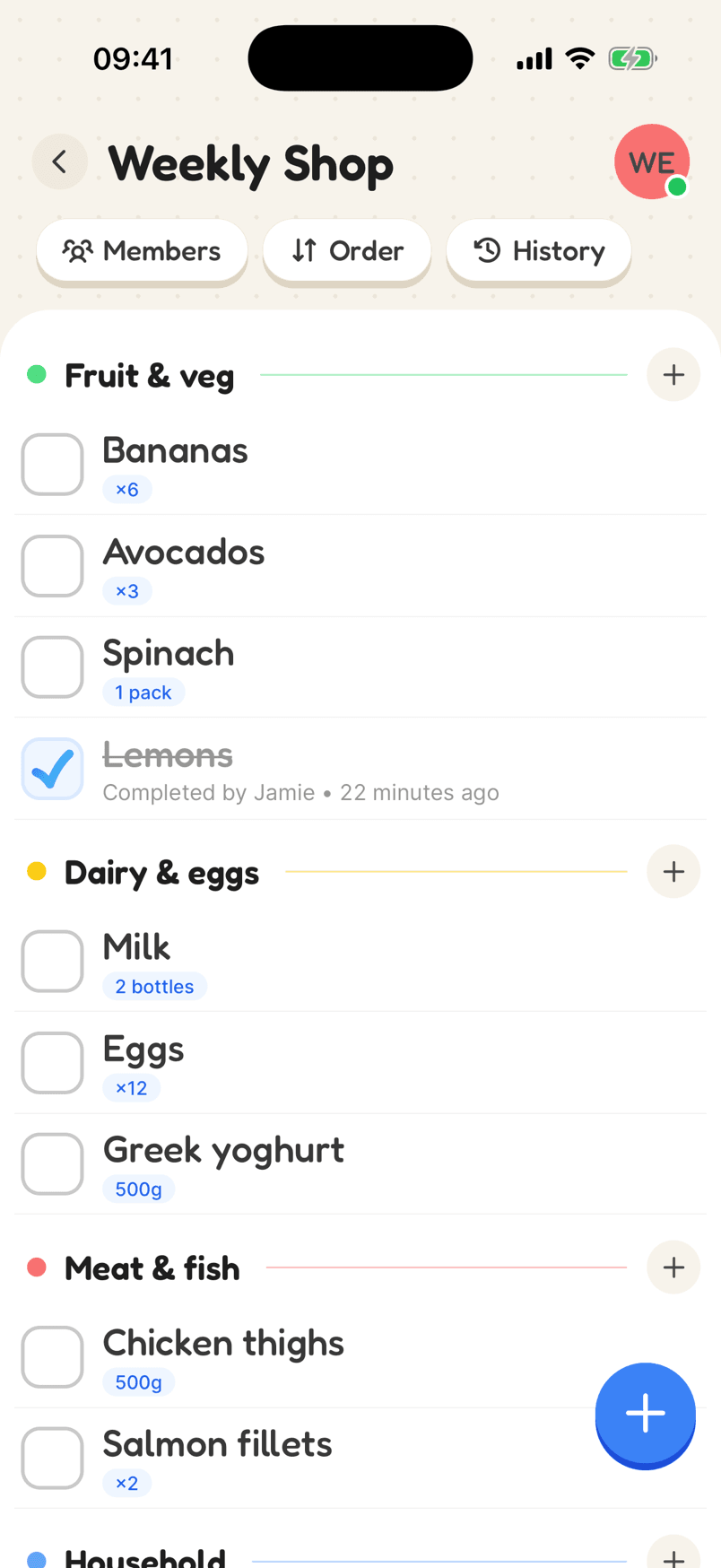
The Weekly Shop list, sorted into categories with quantities
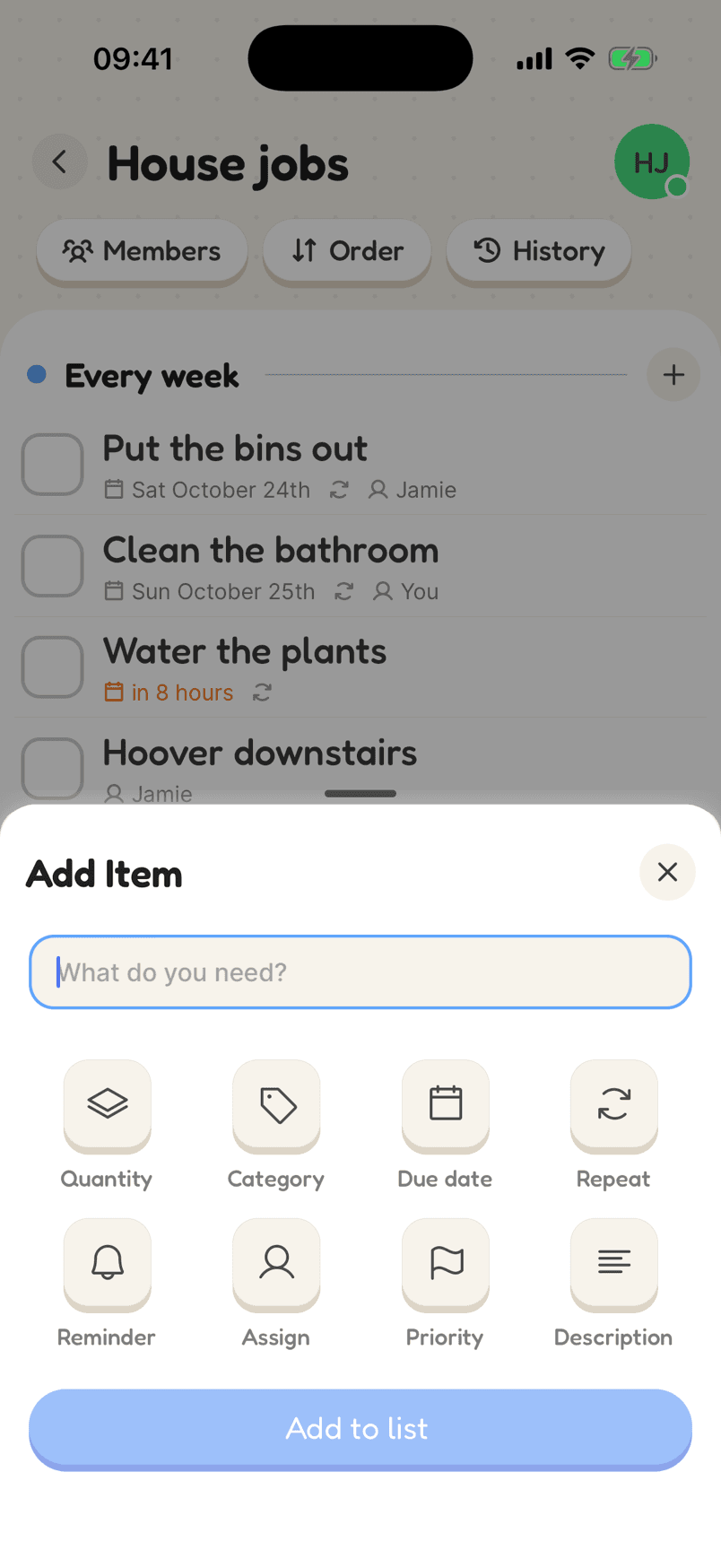
Adding an item with a quantity and unit

How a good grocery list looks

Grouped by aisle, with how much of each, and a name on anything someone else is picking up.

  1. 1Make a shopping listAdd categories in the order you walk round the shop.
  2. 2Add items as they run outWith how much of each, during the week, not just before the shop.
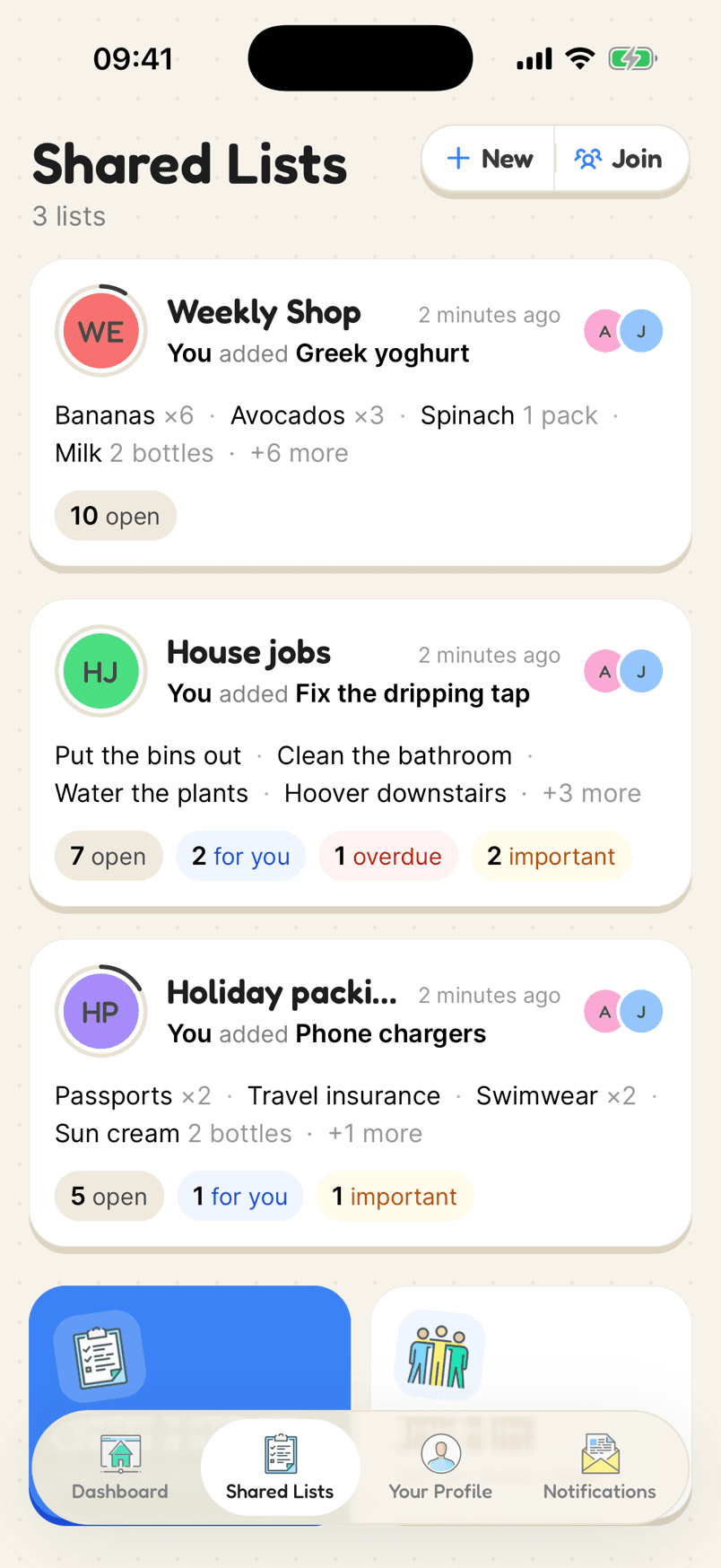
  3. 3Share itInvite whoever else shops, so the list is the same on every phone.
In the app

What makes it work

The Add Item sheet with Quantity, Category, Due date, Repeat, Reminder, Assign, Priority and Description

Add exactly what you need

Quantity and unit, category, due date, repeat, reminder, who it is for, priority and a note. Each is one tap away when you add an item, and out of the way when you don’t need it.

Why a shared list helps

1. Check what you already have

Look in the fridge, freezer and cupboards first, so the list only has what you need.

2. Plan the week’s meals

Decide what you will cook, then add the ingredients you don’t have.

3. Group it by aisle

Sort the list into the order you walk round the shop: fruit and veg, then chilled, then cupboard, then frozen.

4. Add how much

Write the quantity next to each item, so you buy the right amount the first time.

5. Share it

Keep the list on your phone and share it, so anyone can add to it when something runs out and whoever is in the shop has the latest version.

Why a grocery list saves time and money

Shopping without a list means more trips, more forgotten items and more impulse buys. A list written before you go, in the order you walk round the shop, gets you in and out faster and keeps the spending to what you planned.

The best lists are built up through the week, not written in a rush before you leave. Keep the list on your phone and add things as they run out. If you share it, everyone in the house can add to it too, and whoever ends up in the shop has the whole list.

Add quantities as you go, so “milk” becomes “2 bottles”, and group items by aisle so you are not doubling back. Tick things off as they go in the trolley, and anything left at the end is obvious.

Reviews

Loved by the people who use it

4.8from 94 ratings on the App Store
“It takes the stress out of shopping and my family love it too! The categories are really useful for navigating the supermarket … This has also been really great for the family chores... especially because you can assign tasks to individuals on your list (no excuses!).”
App Store review, December 2020

Questions

How do I make a grocery list on my phone?

Use a list app that sorts items into categories and keeps quantities, like Listshare. Add items as they run out during the week, and the list is ready when you shop.

How do I make a grocery list on iPhone?

You can use Notes or Reminders, but a grocery list app does more: Listshare sorts items by aisle, keeps quantities and units, and shares the list live with anyone else who shops.

What should be on a basic grocery list?

The staples you use every week (milk, bread, eggs, fruit and veg, pasta or rice), the ingredients for the meals you have planned, and household things like toilet roll and washing-up liquid when they run low.

How do I share a grocery list?

In Listshare, create a list and send the invite link or show the QR code. Everyone who joins sees the same list, live.

Make your grocery list

Free on iPhone and Android, and in your browser. Everyone you share with is one invite away.